Your coworkers are ahead of you.
I get asked this more than anything else: where do I even start?
A prompt is just the instructions you type into AI to get it to do a specific task, and the more specific you are about what you want, the better what comes back.

Honest answer from someone who’s been inside enterprise tech for 20+ years and teaches AI on LinkedIn Learning: here are four moves worth learning.
I’m going to tell you what to type, word for word.
What are the best AI prompts to start with at work?
Four. A LinkedIn audit, a meeting prep brief, a high-stakes email, and a prompt that writes your prompt for you. Copy them word for word below.
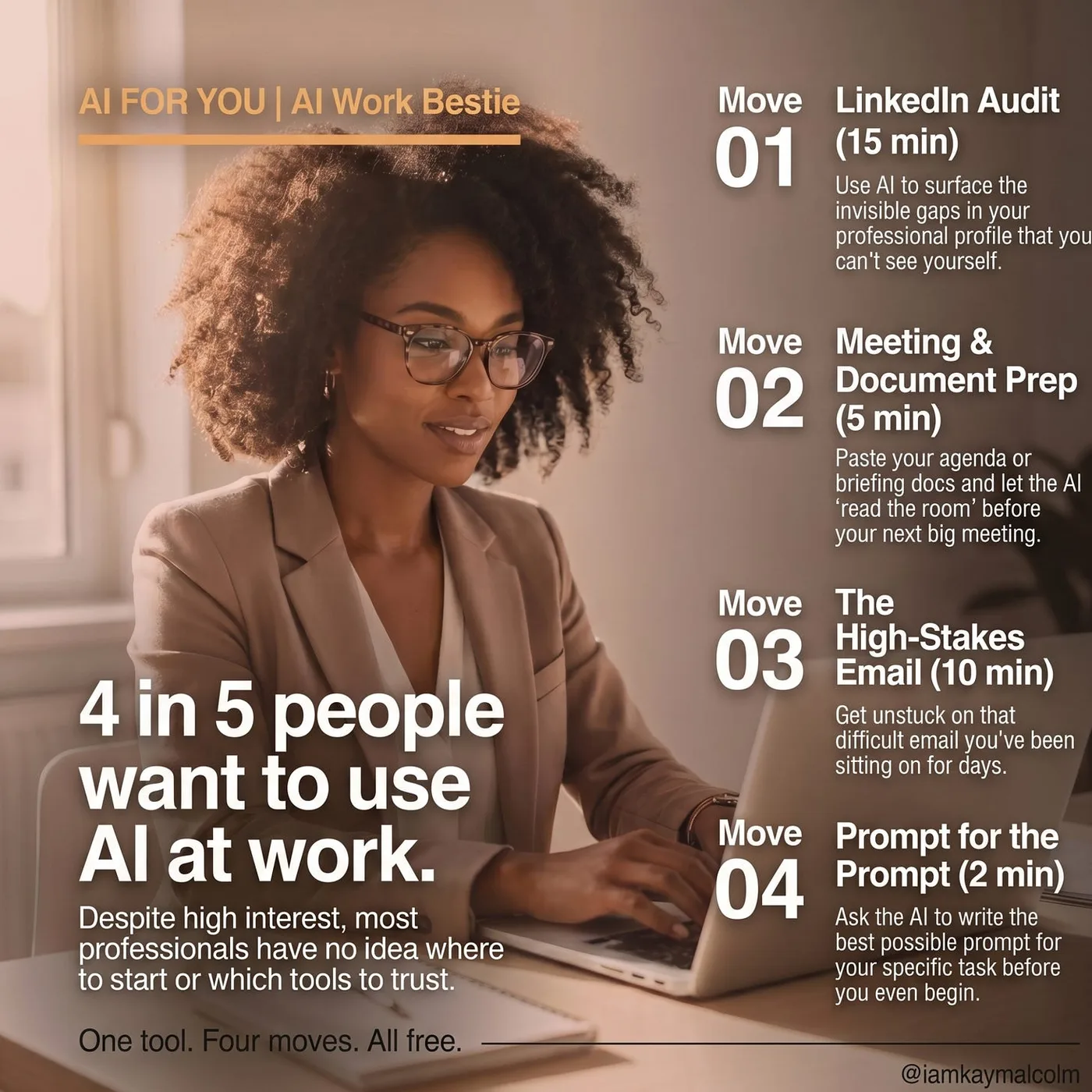
Move 01: LinkedIn Audit | 15 min
This one surfaces what you cannot see about your own profile. Do it first.
You are an expert LinkedIn strategist for corporate professionals.
Your job: not to make my profile sound better, make it work harder.
Searchability, positioning, what a recruiter thinks in the first 8 seconds.

Analyze my LinkedIn profile. [paste text or upload screenshot]

I want my profile to: [get found by recruiters / build a personal brand /
attract speaking opportunities / position me for X role]

My target - the person I most want to find me:
[e.g. VP at a Fortune 500 hiring for a senior ops or strategy role]

Give me:
1. DIAGNOSIS: what my profile communicates now, what's missing,
   and what a recruiter sees vs. what I think they see
2. HEADLINE (3 options): keyword-heavy / human + impact / balanced.
   Mark which to post today.
3. ABOUT SECTION: full rewrite. Hook first, not my job title.
   Soft CTA at the end.
4. SKILLS: 3 to add or move to the top that my target is searching for
5. THE ONE THING: highest-leverage change in 30 minutes
Move 02: Any Meeting. Any Document. | 5 min

The one I use every week before a skip-level. Paste whatever you have: agenda, email chain, briefing doc; and let it read the room for you.
You are a Chief of Staff and executive advisor for senior corporate professionals.
Your job: make sure I walk in owning the room, what's really at stake,
what to say, what to ask, and what NOT to say in this specific room.

MEETING (include what you have):
Type: [skip-level / project update / difficult conversation / exec presentation]
Who's in the room: [names, titles, relationship to you]
Official agenda: [stated purpose]
What's really going on: [subtext, tension, history]
What I need to walk out with: [your goal]
What I'm nervous about: [be honest]

DOCUMENT (paste if you have one):
[report, email chain, or briefing doc]

Give me:
1. THE REAL AGENDA: what this is really about beneath the surface
2. MY POSITION: what to agree with, push back on, or stay neutral on, and why
3. OPENING: 2-3 sentences. Strong, no filler.
4. TALKING POINTS: top 4-5 in priority order
5. QUESTIONS TO ASK (3): one that goes deeper than the agenda, one that
   puts the ball back in their court, one that gets me info I don't have yet
6. WHAT NOT TO SAY: the specific phrase or move that would undermine
   me in this room today
7. RECOVERY: one phrase to use if things go sideways
Move 03: The High-Stakes Email | 10 min
For the email you’ve been sitting on for three days. You know the one.
You are a communications strategist for senior corporate professionals.
Your job: help me send the email I've been putting off, the one where
the stakes are too high to get it wrong.

What happened: [the situation, honestly]
Who it's going to: [their role, their power relative to yours]
What I want: [apology / correction / boundary /
                       decision / accountability, be specific]
What I'm worried about: [how this could go wrong]
What I cannot say or imply: [anything off-limits]
Tone: [professional but firm / warm but clear / direct / diplomatic]

Write me 3 versions:
1. DIRECT: straight to the point, no softening
2. WARM BUT CLEAR: leads with relationship, still says everything
3. DIPLOMATIC: firm on the issue, soft on the person

For each: the risk of sending it and who it's best suited for.
Move 04: Kay’s Mega Prompt | 2 min

This one makes everything else hit harder and dare I say it’s genius! Before you type what you want, ask Claude or ChatGPT to write you the best possible prompt first. (It’s annoying how much it helps.)
I want to use AI to help me with [what you're trying to do].
Before we start, write me the best possible prompt to get
the output I'm looking for.

My goal: [what I'm trying to accomplish]
Context: [relevant background]
What good looks like: [what an ideal output would include]
Format preference: [how I want it structured, if I have one]

Don't run it yet, just write the prompt. I'll review it first.
Review what comes back, adjust anything, then run it. The output will be worth using.
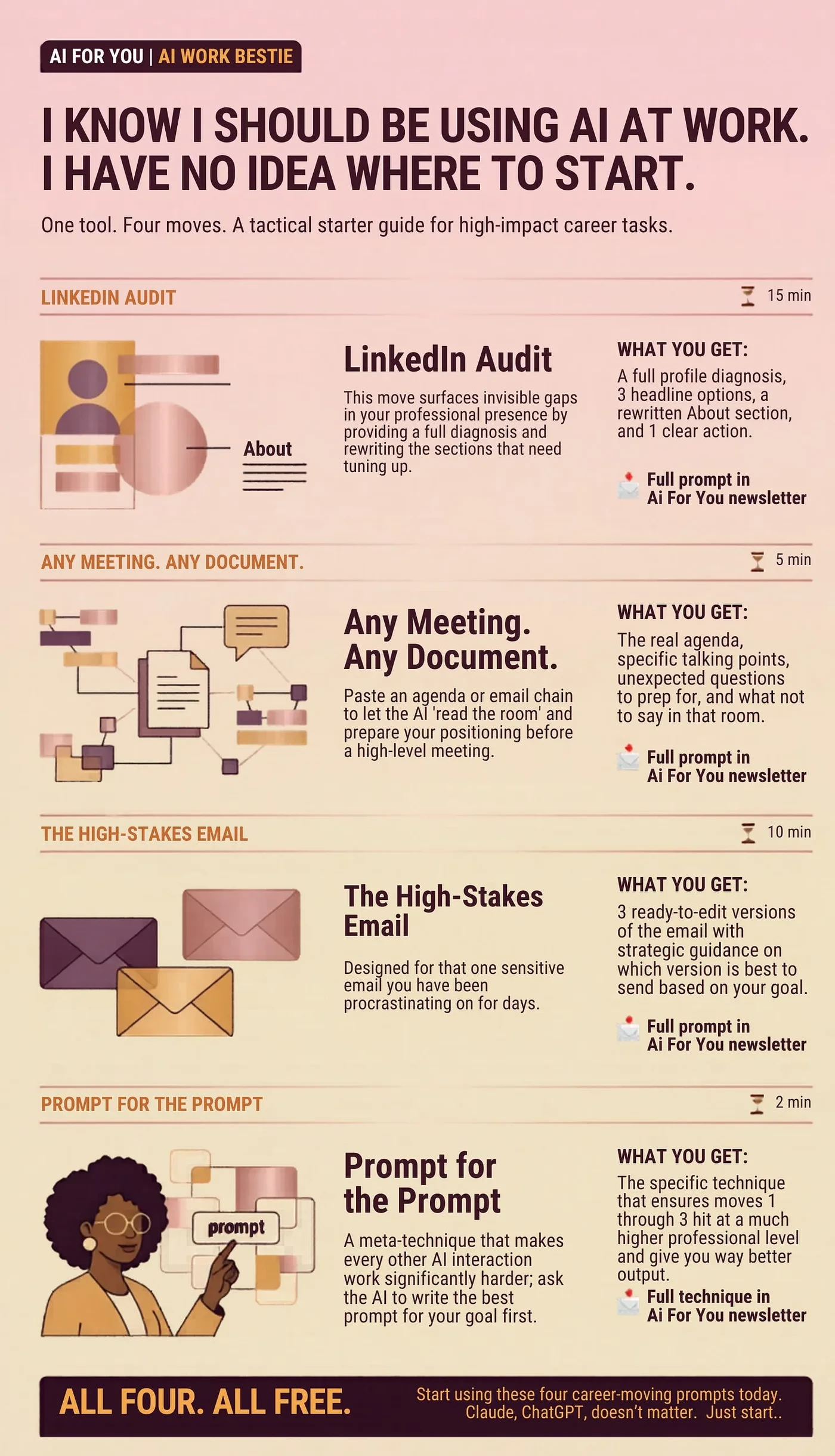
SAVE this image to your phone and load it into ChatGPT or Claude, tell it to use it. Even better, SHARE this 👆🏾 as a story and link to this article, don’t gatekeep, share with your friends.
The four prompts, in one place:
- LinkedIn Audit: make your profile work harder, not just sound better.
- Any Meeting, Any Document: walk in owning the room before you get there.
- The High-Stakes Email: send the one you have been sitting on for three days.
- Kay’s Mega Prompt: ask AI to write the best prompt before you run it.
Pick one of these moves to try this week. Just one love, don’t overthink it. Come tell me on LinkedIn which one you tried, hope this helps!
VP @ Oracle | LinkedIn Top Voice for AI | LinkedIn Learning Instructor | Views are my own
AI For You is a weekly newsletter for corporate women (and yes, the guys reading this too, welcome) navigating careers in the AI era. Real tools, real context, no tech background required.